TWS + API: Quick Installation & Setup
A brief overview to help you install and set up TWS and its API.
For full instructions, please refer to IBKR’s official TWS and API setup guide. We strongly recommend consulting IBKR’s customer support for the most accurate guidance — see How to Access IB Live Chat Support.
1.
Download Trader Workstation (TWS) and TWS API from IBKR’s official TWS and API setup guide webpage.
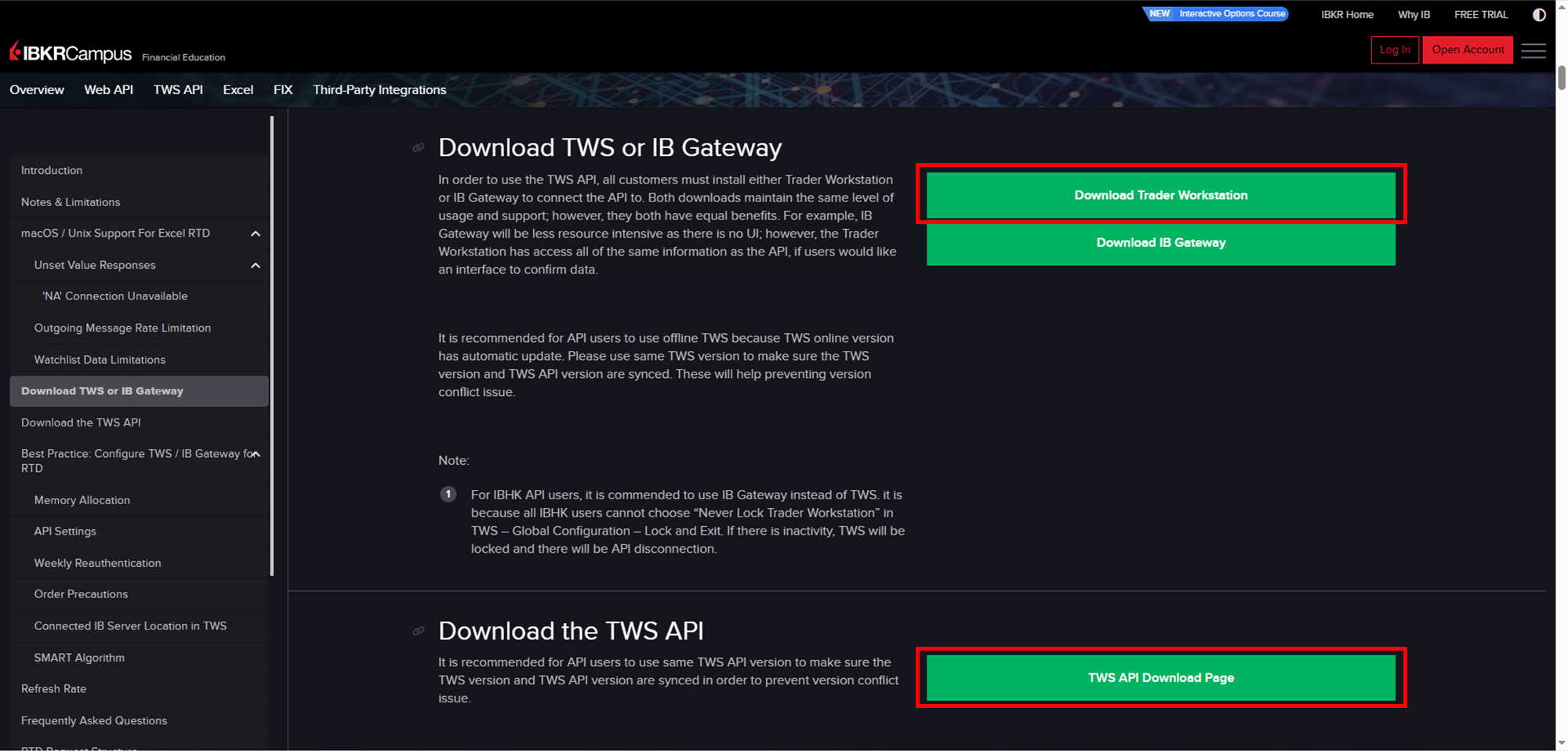
Make sure your TWS API version matches your TWS version to prevent conflicts.
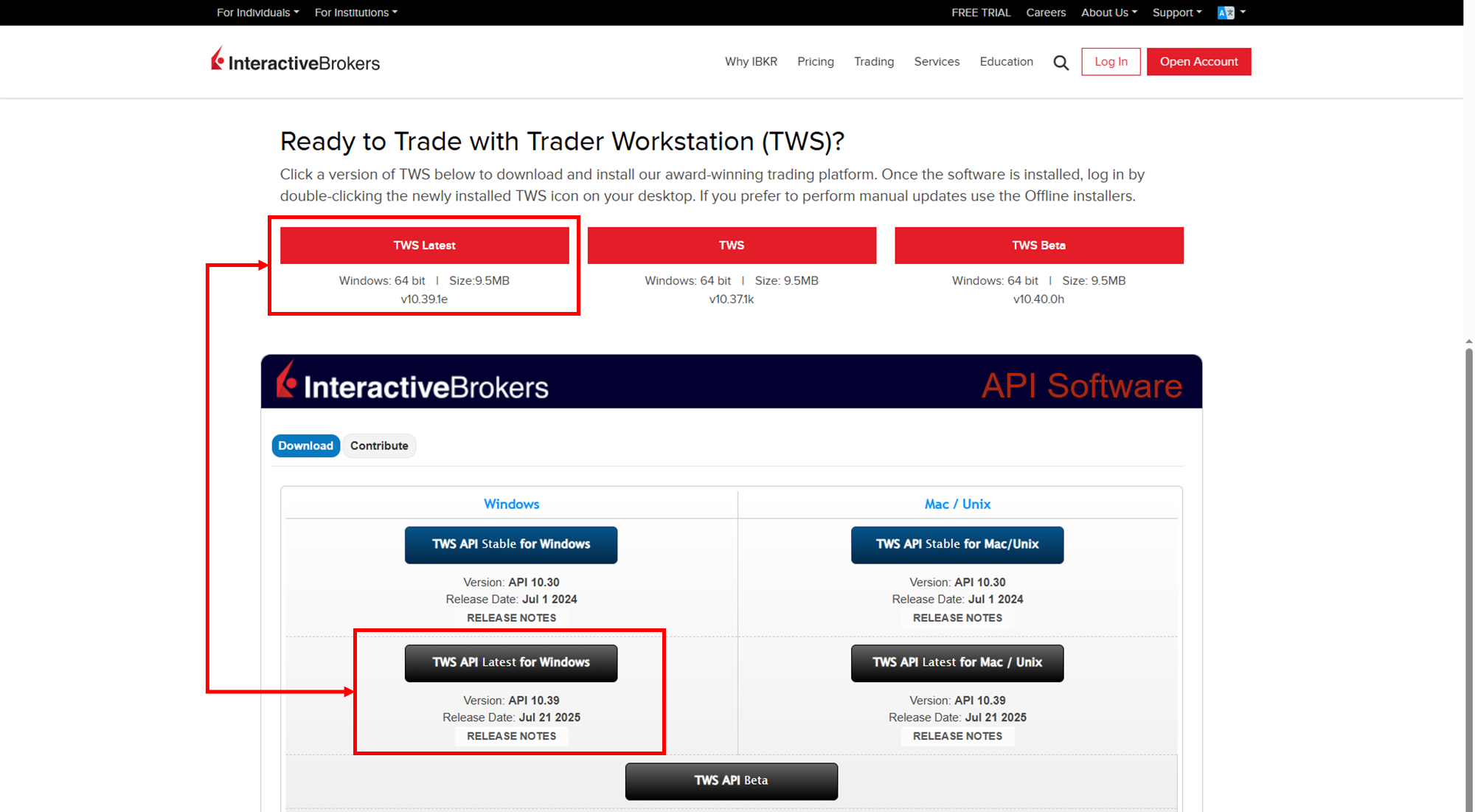
For TWS, download the online version. Do not use the offline version (which IBKR may recommend), as we always use TWS, TWS API, and our Excel tool for real-time trading.
If you applied for your IB account in Hong Kong (IBHK), IBKR recommends using IB Gateway instead of TWS. Learn more about IB Gateway on this page.
Unfortunately, Mac users cannot use our Excel tool to retrieve market data via TWS API. According to IBKR, the Excel functionality of TWS API is not available in the Mac and Unix versions.
Be sure to follow all other notes in IBKR’s official TWS and API setup guide to ensure installation is done properly.
2.
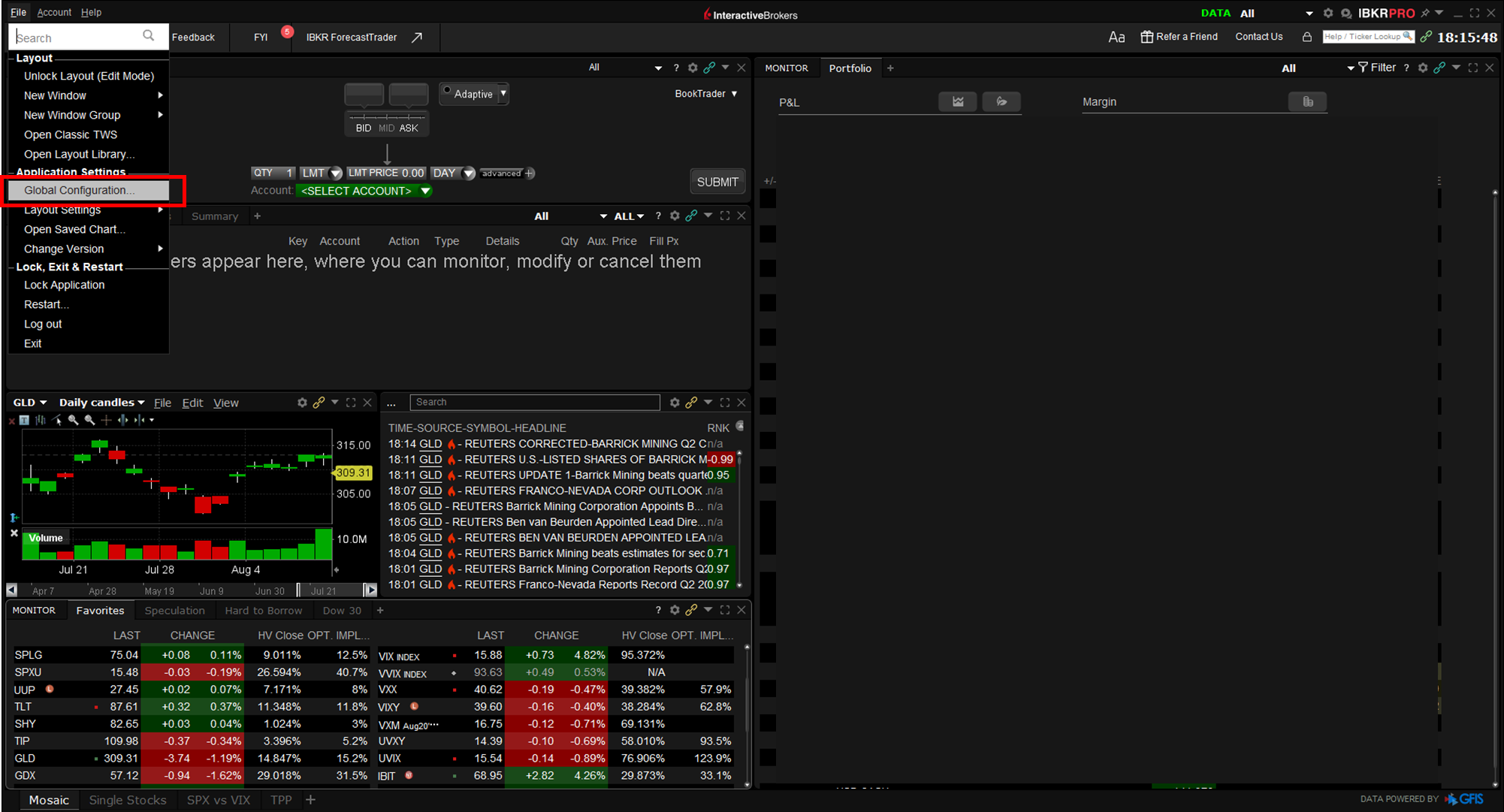
Apply the necessary TWS settings to enable TWS API and Excel functionality. First, open the “Global Configuration” window from the “File” menu in TWS.
Make sure to check “Enable ActiveX and Socket Clients” and “Read-Only API”. This will allow our Excel tool to retrieve data from TWS API while preventing any accidental changes or commands from being sent to TWS.
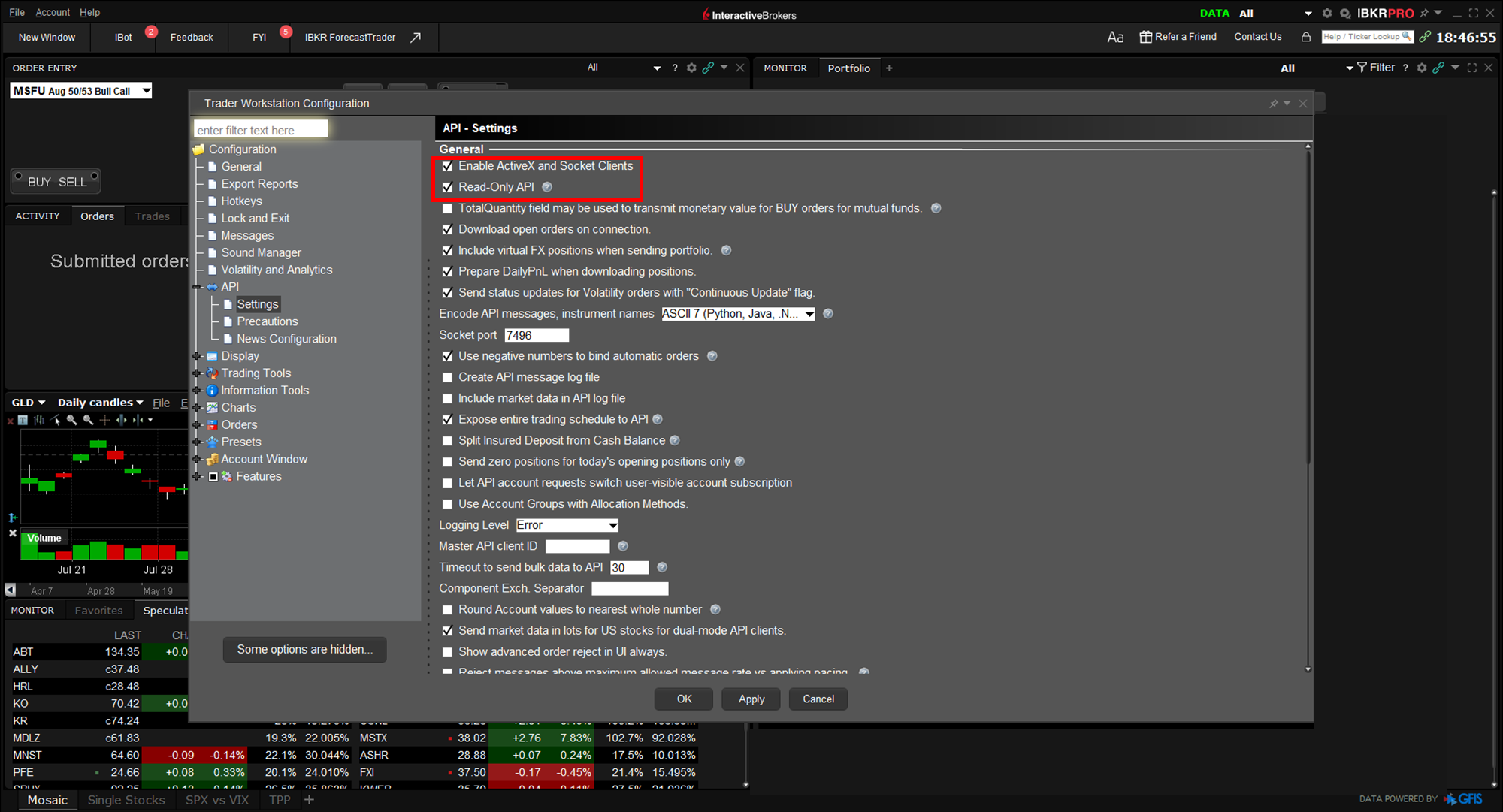
For other settings, in most cases, the default values can be kept.
For detailed TWS settings, refer to IBKR’s official TWS and API setup guide, but we strongly recommend making these changes with assistance from IBKR Customer Support.
Notes:
While this page is designed to walk you through the installation and setup of TWS and TWS API:
Giga Certainty does not offer technical support for third-party platforms or software (e.g., IBKR, YouTube, Microsoft Excel, Adobe PDF).
Our Sites and tools are regularly updated for functionality, but platform-specific issues should be directed to the official provider.
All content is for educational purposes only and does not constitute financial advice.
