How to Apply for IB Trading Permissions
A brief overview to help you apply for IBKR trading permissions. For full instructions, we strongly recommend consulting IBKR Customer Support for the most accurate guidance. Please also see How to Access IB Live Chat Support.
1.
Log in to the Interactive Brokers Client Portal.
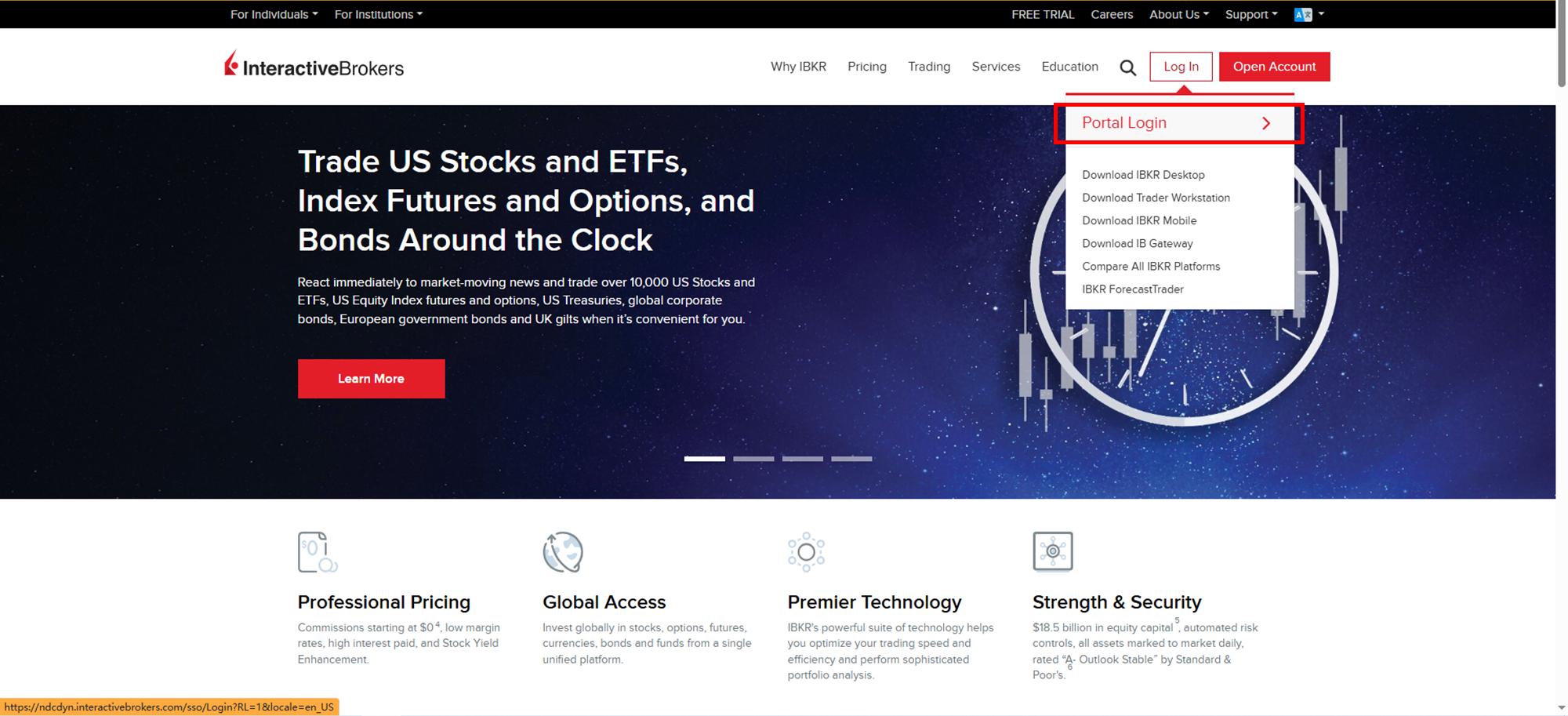
2.
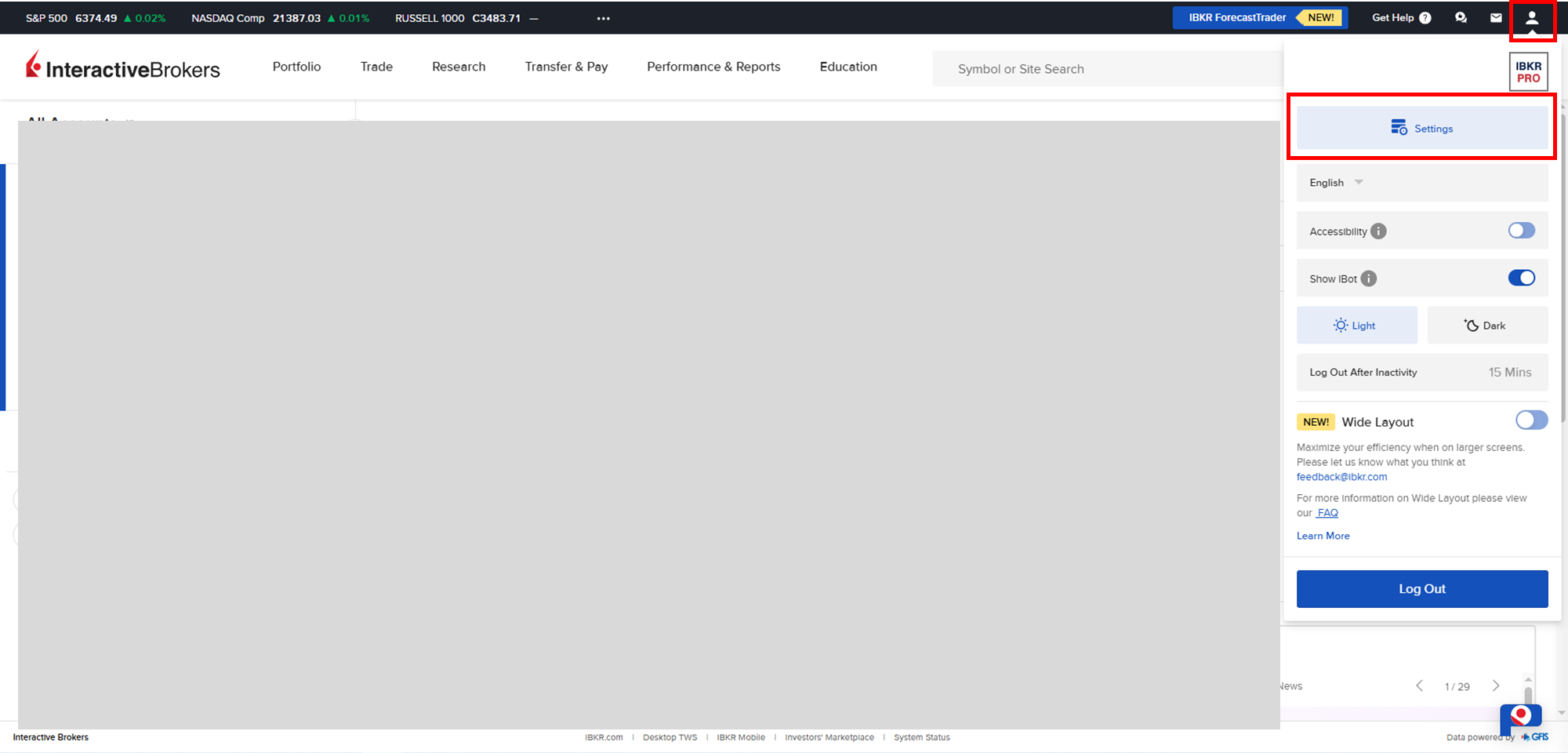
Click the icon in the top-right corner to open the settings panel, then select “Settings”.
3.
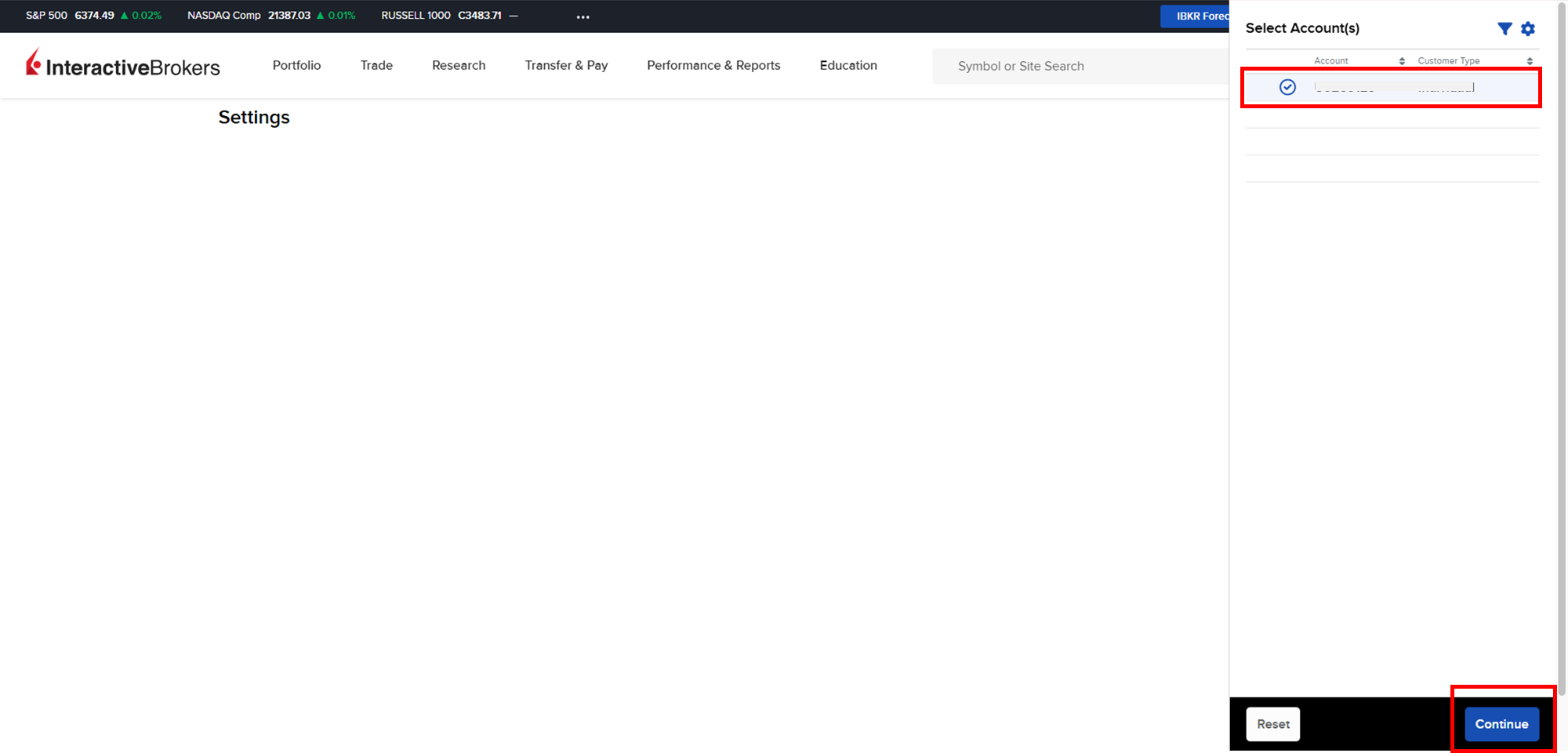
Select the account for which you want to apply trading permissions, then click “Continue.
4.
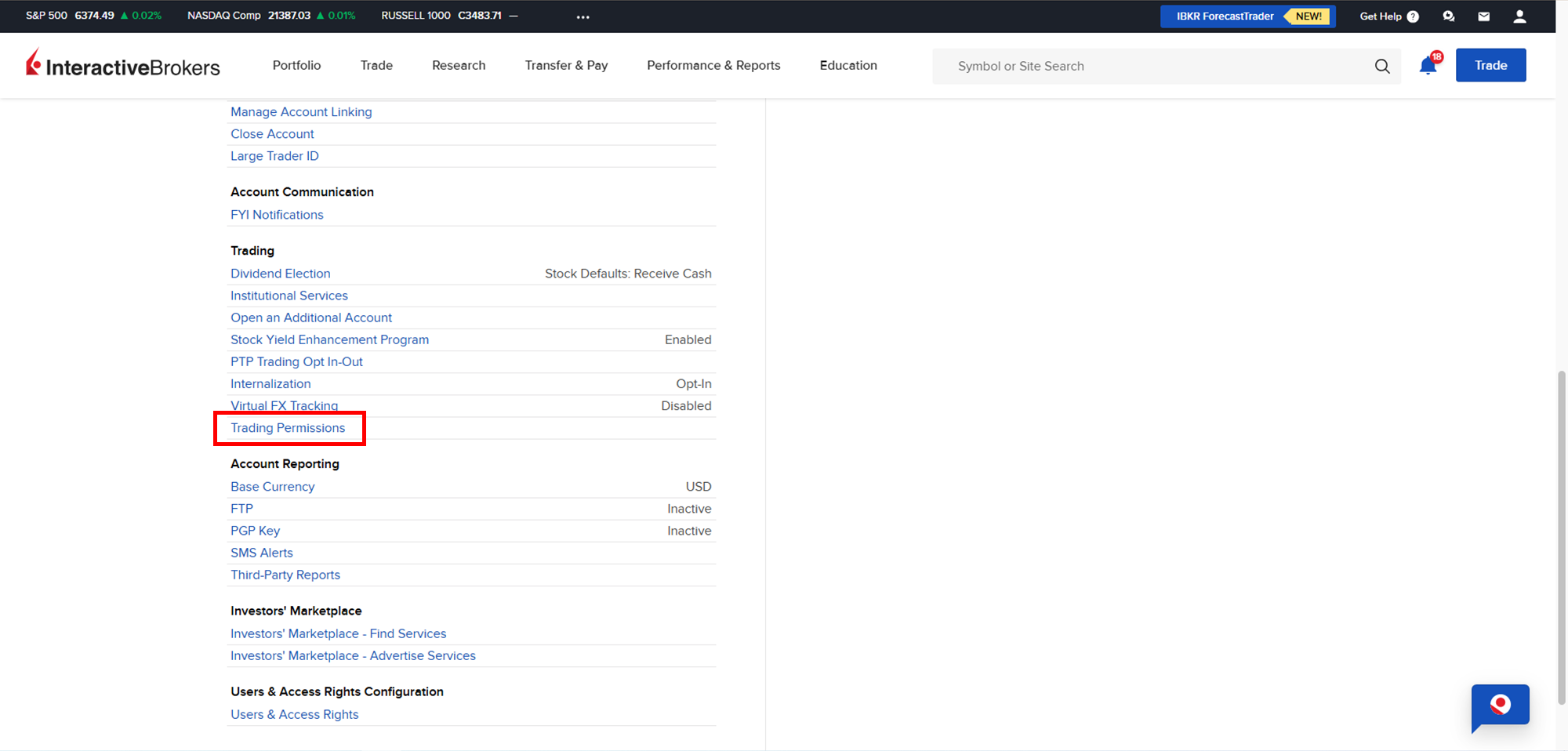
In the “Trading” section of the list, find and click “Trading Permissions”.
5.
To follow our trading signals, you need to obtain trading permissions in the “Stocks”, “Options”, and “Futures” categories.
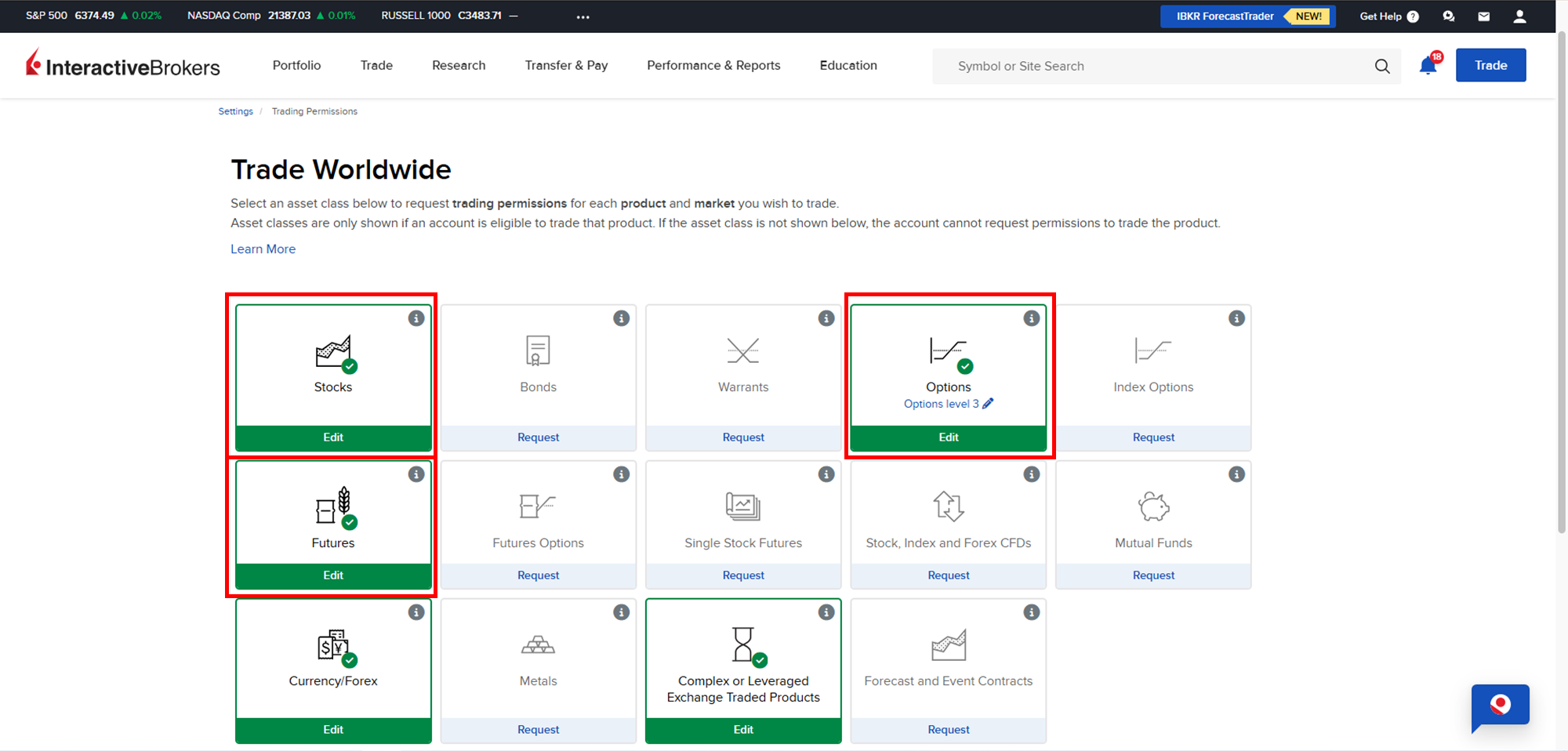
6.
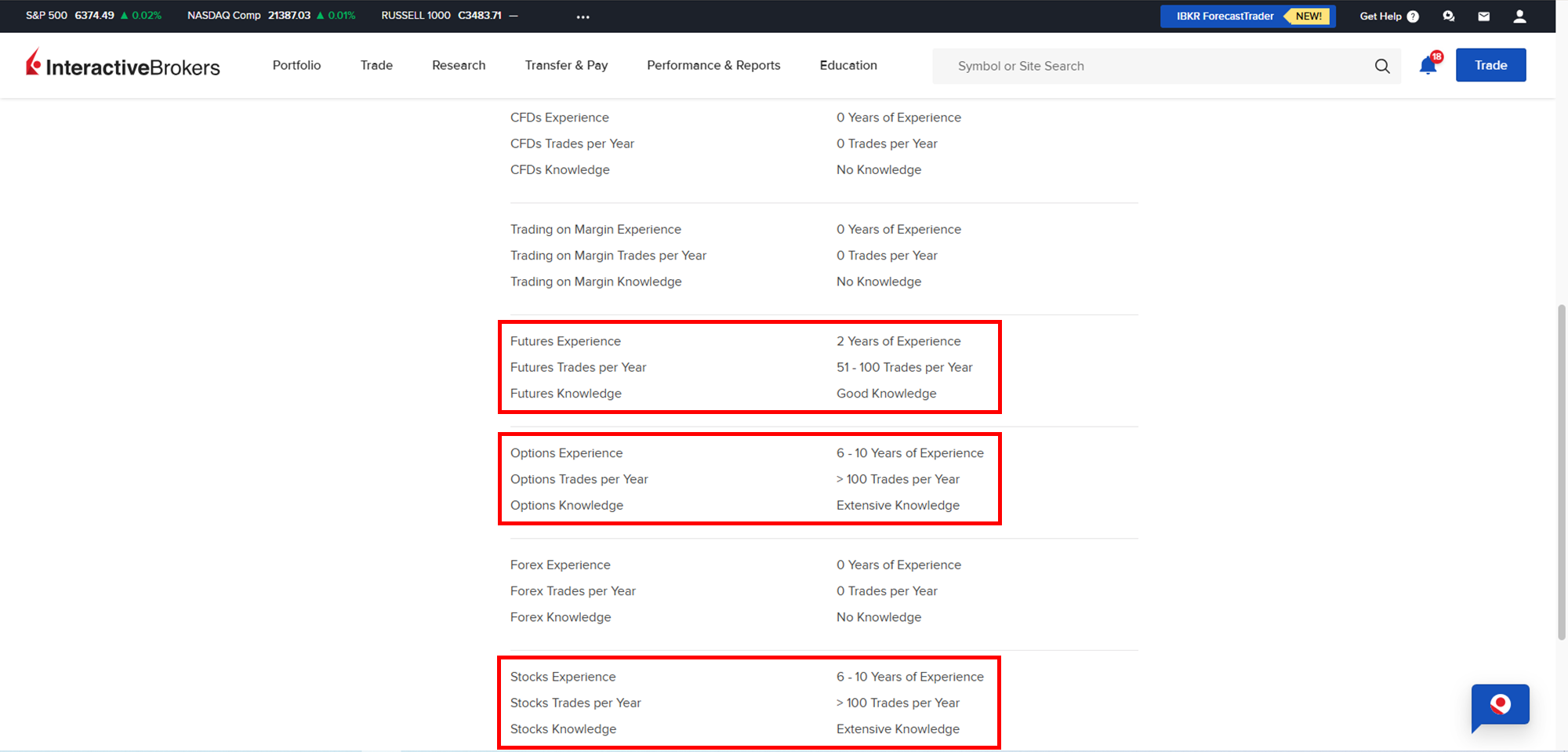
During the application process for these categories, IBKR may ask about your income and assets. In most cases, selecting a medium level should be sufficient. For the trading experience section in each category, you can refer to the chart below for guidance.
7.
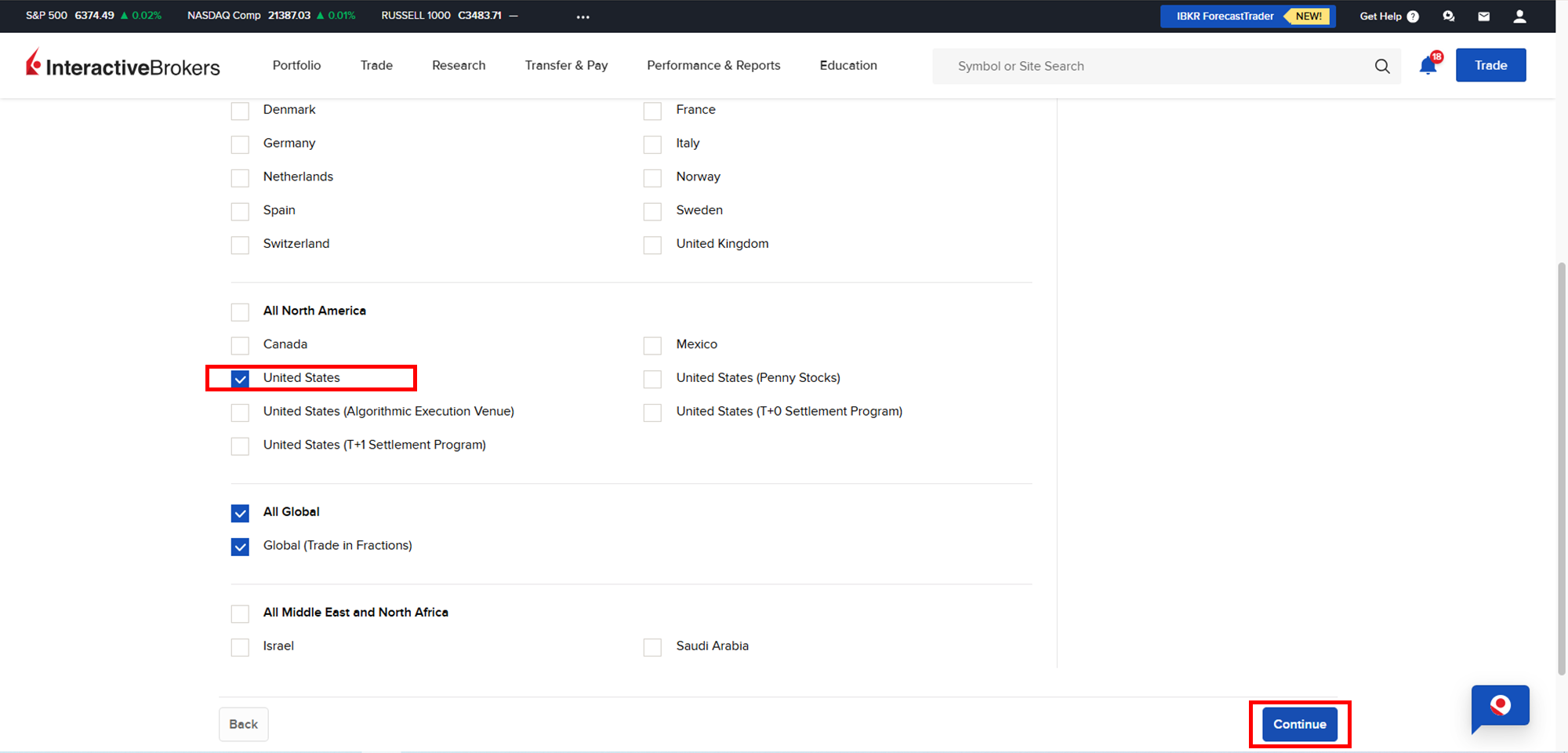
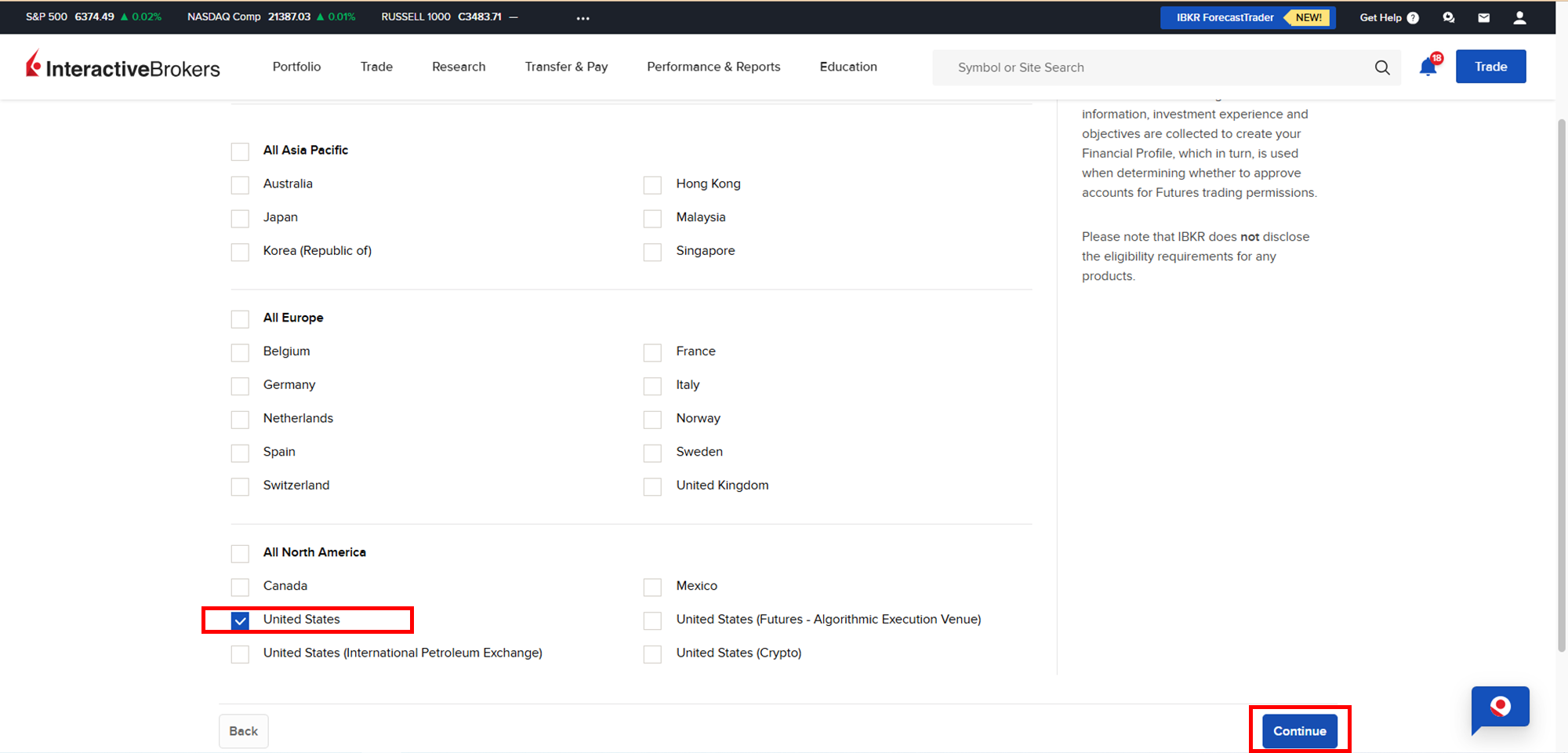
In the “Stocks” category, select “United States,” then click “Continue” to complete the remaining application steps.
8.
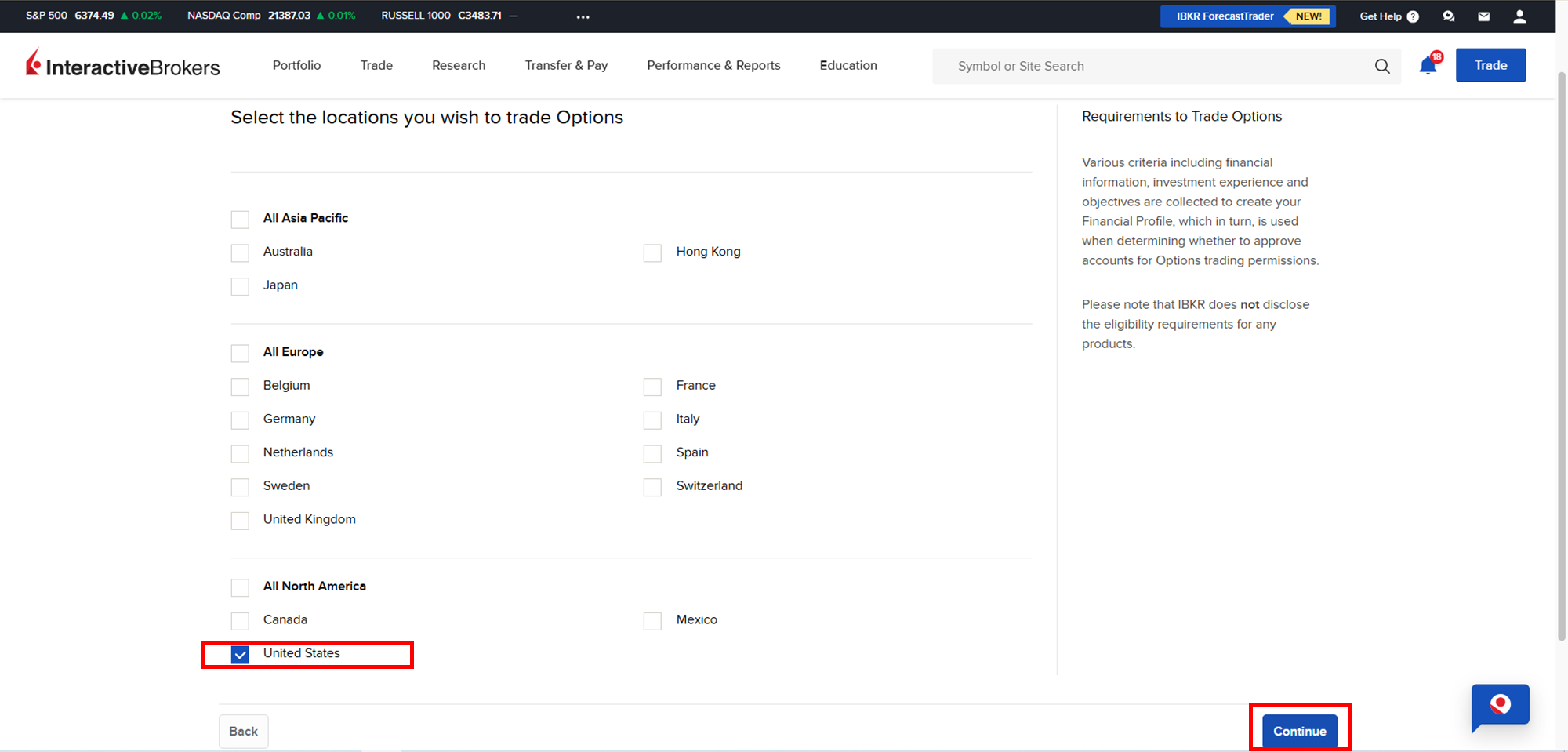
In the “Options” category, select “United States”, then click “Continue”. Be sure to obtain Level 3 options trading permission in the remaining application steps.
If you are not granted Level 3 options trading permission on your first application, you can start live options trading at the highest level IBKR approves for you (we recommend following the 10-trading-day Email Guide you receive after registering as a free Giga Certainty member). After accumulating a certain number of live trades, you can reapply to IBKR for Level 3 options trading permission.
9.
In the “Futures” category, select “United States,” then click “Continue” to complete the remaining application steps.
Notes:
While this page is designed to walk you through the application process for trading permissions of IB:
Giga Certainty does not offer support for third-party platforms or software (e.g., IBKR, YouTube, Microsoft Excel, Adobe PDF).
Our Sites and tools are regularly updated for functionality, but platform-specific issues should be directed to the official provider.
All content is for educational purposes only and does not constitute financial advice.
